Conical warp in Illustrator and Inkscape for tumblers and cups
Adobe Illustrator and Inkscape have no built-in conical warp. Their warp and envelope tools bend artwork into an arc that can look close, but the curve isn't computed from your cup, so the error shows up where the ends meet at the seam and along the bottom edge. Here's what the built-in tools are good for, how to get an exact warp from your cup's measurements, and how the other conical warp tools compare.
What a true conical warp does
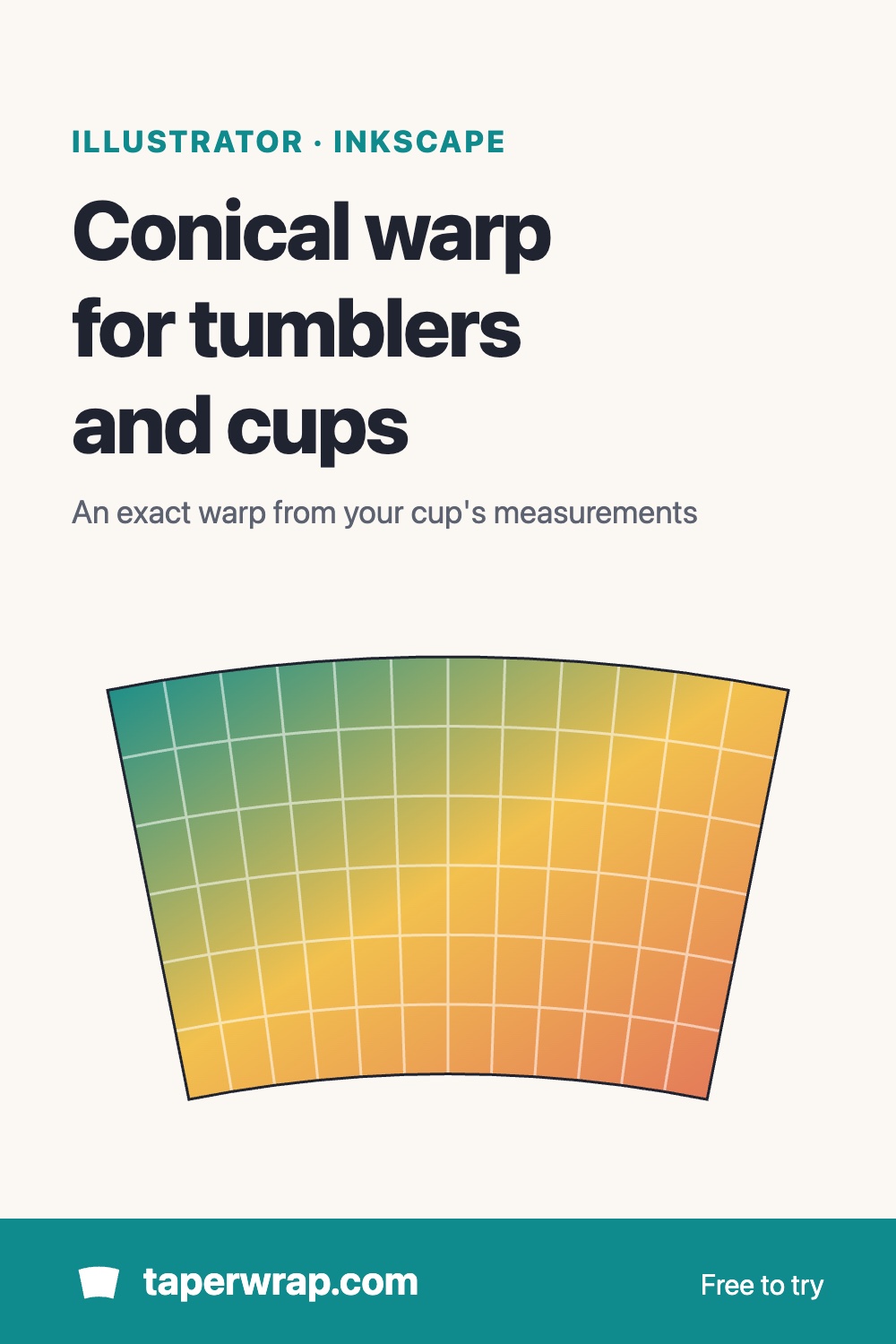
A tapered tumbler, cold cup or pint glass is a slice of a cone. Unrolled flat, its surface is a curved band: part of a ring, wider at the rim than at the base, with both ends pointing at the same centre. A conical warp bends straight artwork into exactly that band, so that once it's wrapped around the cup, horizontal lines sit level and the two ends meet cleanly at the seam. The shape follows from three numbers: the top circumference, the bottom circumference and the height of the area you're decorating. More on the shape: tapered tumbler template and what conical warp does.
Illustrator's built-in options
Illustrator's closest tool is Object > Envelope Distort > Make with Warp (the same styles are under Effect > Warp). The Arc style with a bend of a few percent curves artwork in a way that resembles a cone label. Adobe Community answers on conical labels say the same thing: an Arc warp or a hand-adjusted envelope gets close, but it's an approximation. The Arc style bends the art into a curve, but its radius, the angle of the ends and the change in width from top to bottom aren't calculated from the cup's measurements. On a full wrap that difference adds up: the ends don't meet square at the seam and the bottom edge waves or tilts.
- Good enough: a short line of text or a small logo on the front of a cup with a gentle taper. Nudge the bend, print on plain paper and check it on the cup.
- Falls short: full wraps, wide designs, strongly tapered cups such as pint glasses and cold cups, and anything with horizontal stripes or a border that has to line up at the seam.
Exact conical warps inside Illustrator come from paid plug-ins made for packaging and label printers. As of November 2026, Esko's Studio documentation has a "Conical Warp" section, and Boxshot's Ai Toolbox (now sold under Apps for Life) makes conical labels from artwork and a cone size using Illustrator's envelope mesh. Both are priced for packaging work rather than crafting.
Inkscape
Inkscape's path effects (Path > Path Effects) include Perspective/Envelope, which moves the four corners of an object, and Bend, which bends artwork along a path you draw. They're free and handy for bending text by eye, but the Inkscape manual doesn't describe any of them as a conical warp, and none takes a cup's circumferences. Like the Arc warp in Illustrator, anything you bend by hand is an approximation.
The exact way: warp the SVG in TaperWrap, then reopen it
Keep designing in Illustrator or Inkscape, and let TaperWrap compute the warp from your cup's numbers:
- Convert text to paths. In Illustrator, select the text and choose Type > Create Outlines. In Inkscape, choose Path > Object to Path. TaperWrap skips live text and embedded images, and tells you when it did.
- Export an SVG. Size the artboard (Illustrator) or page (Inkscape) to the artwork for a decal, or to the full flat wrap for a full wrap.
- Open TaperWrap and choose Cut file (vinyl / laser) at the top, then upload the SVG.
- Enter your cup. Type the top and bottom circumference and the height of the area you're decorating, or pick a cup from the list. Not sure how? See how to measure a tumbler.
- Place it. Choose Decal and set its width and its distance from the top of the area, or choose Full wrap to stretch the artboard over the whole area.
- Check the preview. It's free, so you can see the fit before paying anything.
The warped SVG is in inches, so it reopens at true size in Illustrator, Inkscape, Cricut Design Space or Silhouette Studio, and colours are kept as separate fills. The DXF is in millimetres, for cutting stencils or masks in laser software. Both come with TaperWrap Pro: $15 one time, with a 30-day money-back guarantee. Cutting vinyl? See conical warp for Cricut and Silhouette for the cutting side, and the tumbler decal size chart for how wide a front decal should be.
Printing a sublimation wrap instead? Export a PNG or JPG from Illustrator or Inkscape at 300 DPI and leave the mode on Sublimation print. TaperWrap warps the image and lays it out on your paper at true size. The free download carries a light "TaperWrap preview" watermark; Pro removes it. The full walkthrough: how to warp a design for a tapered tumbler.
Use the free blank template as a guide
To design straight onto the curved shape, enter your cup's numbers in TaperWrap and click Download blank template (SVG, free). It opens at real size in Illustrator and Inkscape. Lock it on its own layer as a guide, or use it as a clipping mask to trim a pattern to the exact outline of the wrap.
Clipping isn't warping, though. A straight design clipped into the curved template still tilts on the cup: the shape is right but the artwork inside it isn't bent. That's fine for all-over patterns without a direction, and wrong for text, stripes and anything that should sit level. For those, warp the design itself as above.
Other conical warp tools compared
As of November 2026, from each maker's own documentation where we could reach it; a dash marks what the documentation we could reach doesn't say.
| Tool | Cost | Uses your cup's measurements? | Output | Notes |
|---|---|---|---|---|
| Silhouette Studio conical warp | Paid upgrade: Designer Edition Plus or Business Edition | Yes: top and bottom diameter and height | Print and cut, inside Studio | Added in Studio V4.1; not in the free Basic Edition. Alternative without the upgrade |
| Illustrator Envelope Distort / Warp (Arc) | Included with Illustrator | No: bend set by eye | Anything Illustrator exports | Approximates a cone; fine for small front text |
| Esko Studio (Illustrator plug-in) | Paid, for packaging | — | Illustrator artwork | Documented "Conical Warp" feature, aimed at label and packaging printers |
| Ai Toolbox (Apps for Life, formerly Boxshot) | Paid licence, free demo | Yes (cone size) | Illustrator artwork (envelope mesh) | Conical labels from a selection or an artboard |
| Inkscape path effects | Free | No: bent by hand | SVG and more | Perspective/Envelope and Bend approximate; no conical warp in the manual |
| Photoshop Warp | Included with Photoshop | No: Arc preset or a mesh set by eye | Raster print files | Approximates, like Illustrator's Arc |
| Cricut Design Space Curve / Warp | Curve: free. Warp: Cricut Access | No | Cut and print in Design Space | Curve bends text into an arc. Warp has 30 preset styles, adjusted by eye |
| LightBurn Taper Warp | Included with LightBurn | Yes: top and bottom diameter and the distance between them | Laser engraving on a rotary | Under Laser Tools; works in millimetres |
| xTool rotary engraving | Comes with xTool lasers and software | — | Laser engraving on a rotary | Tapered-cup support depends on the model and rotary; see xTool's guide for yours |
| TaperWrap | Free to try (watermark); $15 one time for Pro | Yes: top and bottom circumference (or diameter) and height | PNG and PDF print files; SVG (in) and DXF (mm) cut files with Pro | In the browser; your design stays on your computer. Also handles 40 oz cups printed in two sections |
Size helpers (they don't warp artwork): free calculators work out the numbers rather than bending the design. Apps for Life's free conical label calculator makes a template from the label size and the cone's diameters, and several craft blogs offer calculators for tumbler sizes or for Cricut Design Space curve settings. They're useful for a template; you still have to fit the artwork yourself.
Which one to use
- You already own Silhouette Designer Edition Plus: use its conical warp. It takes the cup's measurements.
- You engrave cups on a rotary with LightBurn: use its Taper Warp, which is built for exactly that.
- You design in Illustrator or Inkscape: an Arc warp is fine for a small line of text on the front. For full wraps, wide decals and strongly tapered cups, warp the exported SVG or PNG in TaperWrap, or use a paid packaging plug-in if you already have one.
- You cut vinyl on a Cricut: design anywhere, warp the SVG in TaperWrap, and the cut file opens at true size in Design Space. Cold cups and pint glasses work the same way: cold cup template, pint glass decal size.
How to test any warp
Whatever tool you use, test it before you use a blank. Print the warped design on plain paper at 100% (actual size, no "fit to page"), cut it out and wrap it around the cup. The two ends should meet without a gap or a step, and a horizontal line or the bottom edge of the design should sit level all the way around. If the ends overlap or leave a gap, re-measure the cup; a few millimetres off in circumference is enough to show at the seam.
Designs to try
No artwork yet? The free SVG tumbler decals open in TaperWrap in one click, ready to warp for your cup.
Common questions
Does Illustrator have a conical warp tool?
Not built in. Envelope Distort and Effect > Warp offer Arc and other styles that bend artwork by a percentage you choose, which approximates a cone. Exact conical warps in Illustrator come from paid plug-ins.
Can I edit the warped SVG in Illustrator afterwards?
Yes. It's an ordinary SVG of paths at true size. Recolour it, add an offset or combine it with other artwork. Avoid scaling it, because the warp is calculated for that exact cup.
Is TaperWrap free?
The warp, the preview and the blank template are free. Print downloads carry a "TaperWrap preview" watermark until you unlock Pro, and the warped SVG and DXF cut files are part of Pro ($15 one time).
Is TaperWrap affiliated with Adobe, Inkscape or the other tools named here?
No. They're named only to compare what each one does.